
Learning how to capture ideas with inbox zero becomes a game-changing shift for any busy creator who constantly juggles half-formed thoughts, scattered notes, audio memos, sticky reminders and dozens of digital scraps stored across multiple devices, because once you adopt a simple intake system supported by a clean processing routine, your creative mind finally stops overflowing and your tools begin serving your thinking rather than overwhelming it.
Although ideas often feel energizing when they first emerge, they can quickly become sources of stress when you accumulate too many fragments inside notebooks, apps, messages, random screenshots and pockets of your memory, so building a reliably minimal notes system frees your attention by turning chaotic inputs into an organized flow that always ends in clarity.
This extensive guide presents a calm, structured approach to capturing ideas using the inbox zero philosophy, showing how to design a frictionless capture habit, how to create a simple processing routine that prevents clutter from returning, how to use lightweight tags to categorize your saved thoughts, how to build archive rules that keep your notes system clean and how to implement a template card that ensures consistency regardless of where your ideas appear.
Crafted specifically for creators with busy schedules and scattered thoughts, the guide maintains a serene tone so you can apply each step without mental overload, embracing a minimal approach that replaces complex productivity systems with an elegant, streamlined method focused on capturing ideas with inbox zero in a sustainable, repeatable way.
Why Capture Ideas with Inbox Zero Brings Peace to Creative Work
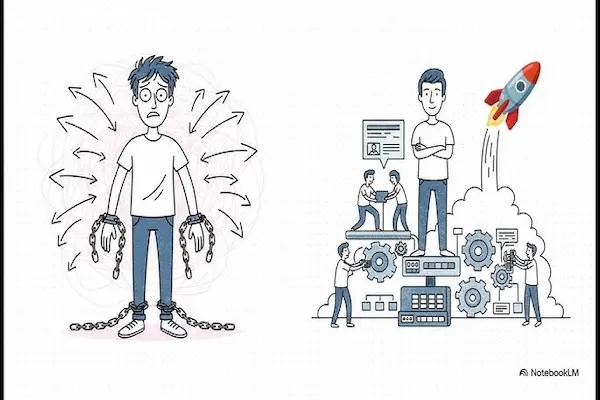
Creators generate ideas at unexpected moments, and unless you capture those ideas immediately in a consistent place, they either vanish or accumulate in random pockets of your life, forming a quiet layer of mental clutter that slowly drains your focus, reduces your energy and creates the discomfort of unfinished thoughts.
Using the inbox zero principle for idea capture solves this problem because the system ensures that every idea, regardless of where it starts, eventually flows into one central location, where it will be processed, clarified and stored intentionally rather than forgotten or left in limbo.
Once your ideas have a predictable destination, your mind relaxes, your creativity becomes more fluid, and you develop trust in your ability to store and retrieve insights without fear of losing them, which improves not only your productivity but also your creative confidence.
The Core Philosophy Behind Capturing Ideas with Inbox Zero
The inbox zero approach does not mean keeping your inbox empty at all times; instead, it represents the habit of processing everything in your system regularly so nothing lingers without purpose, and applying this philosophy to idea capture ensures your creative thoughts never get stuck in an unreviewed pile.
Rather than letting thoughts float between devices, you create a narrow gateway for incoming ideas, placing them into a small number of inboxes that exist solely to collect raw material, which you will later process deliberately into notes, tasks, drafts, archives or discards.
Principles of an Idea-Capture Inbox Zero System
- Every idea enters the system instantly through one of your designated inboxes.
- Inbox locations remain minimal to avoid spreading ideas across too many spaces.
- Processing happens daily, moving each idea to a meaningful home.
- Nothing stays unprocessed longer than 24 hours.
- The archive remains lightweight, organized and searchable.
Choosing Capture Tools That Fit a Minimal Notes System
Idea capture becomes reliable only when your tools are simple enough to use anywhere and fast enough to avoid slowing down creative flow, which means selecting tools that work for your lifestyle rather than adopting complex applications that demand unnecessary structure.
Since the goal is to capture ideas with inbox zero effortlessly, your capture tools must feel like extensions of your brain rather than interruptions to your train of thought.
Primary Capture Tool Options
- Small physical notebook: ideal for creators who think best while writing longhand.
- Single digital notes app: a clean, low-friction place to drop raw ideas without formatting.
- Voice memo inbox: for quick capture when hands are busy or ideas appear while moving.
- Text-to-self system: one inbox dedicated to short thoughts faster than typing notes.
Rules for Choosing Tools
- Pick no more than two primary capture tools to avoid scattered ideas.
- Select tools you can access instantly with almost no effort.
- Choose simple over sophisticated to maintain minimalism.
When your capture tools remain minimal, you reduce friction and strengthen the habit of saving ideas immediately rather than postponing them.
Building Your Single Intake Funnel
The key to learning how to capture ideas with inbox zero lies in funneling all inputs — handwritten notes, digital scraps, audio memos, screenshots, brainstorm lists and incomplete sentences — into a singular intake inbox that works as your temporary holding space until you process everything.
This intake funnel does not need to be complicated; it simply ensures that no matter where you captured the original idea, it eventually goes to the same final inbox to await clarification.
How to Create Your Intake Funnel
- Choose where your final inbox will live, such as a digital notes folder or a notebook section.
- Set a daily time to move any captured ideas from alternate tools to this final inbox.
- Mark your intake inbox clearly so you always recognize it instantly.
- Commit to not storing ideas in multiple places after processing.
- Avoid splitting your inbox into categories; keep it universal.
By consolidating everything into a single intake funnel, your processing becomes dramatically easier, faster and more predictable.
Daily Processing Routine for Inbox Zero
Processing is the core of the system because capturing ideas alone does not create clarity; processing transforms raw thoughts into structured notes, actionable tasks, reference materials or discards, allowing you to maintain inbox zero as a daily practice rather than an occasional cleanup.
This routine allows you to stay aligned with your creative goals while keeping your mind free of backlog and uncertainty.
Daily Processing Steps
- Open your intake inbox: begin with the first unprocessed item and move sequentially.
- Read the idea calmly: understand the intention behind the thought without rushing.
- Decide the destination:
- Task list if it requires action.
- Project folder if it belongs to an existing initiative.
- Reference archive if it is useful knowledge.
- Creative backlog if it is an idea worth exploring later.
- Trash if it no longer feels relevant.
- Rewrite clearly: convert the raw idea into a clean, structured note.
- Tag or label: assign relevant tags for future searchability.
- Empty the inbox: ensure no items remain unprocessed.
This process rarely takes more than ten minutes, especially when done daily, and the payoff in clarity is enormous.
Tagging System to Keep Your Ideas Searchable
A minimal tagging system makes your notes searchable without introducing unnecessary complexity, and while many creators over-tag their ideas, the most effective tags are simple, broad and consistent enough to keep the archive lightweight.
Without tags, even the best notes system will eventually feel scattered, so tagging becomes a quiet backbone for long-term retrieval.
Recommended Tag Categories
- Type: idea, reference, task, project, reminder.
- Theme: creativity, business, personal, design, writing.
- Priority: low, medium, high.
- Status: captured, processing, archived.
Tagging Rules
- Limit to three tags per note to avoid clutter.
- Use consistent naming so searches remain predictable.
- Apply only meaningful tags; avoid decorative or overly granular ones.
This tag system ensures fast retrieval and prevents your notes from splintering across dozens of categories.
Archive Rules That Support Long-Term Clarity
Archiving ideas is often where clutter resurfaces, because creators tend to save too much, file items in multiple places or store duplicate versions of the same thought, yet a clear archive system counteracts this tendency by defining where ideas go after processing.
Minimal Archive Structure
- Active Notes: ideas currently being shaped or used.
- Reference: information worth keeping long-term.
- Creative Backlog: ideas for future exploration.
- Archive: completed or inactive notes.
Archive Maintenance Rules
- Review the archive monthly to remove outdated items.
- Merge duplicate notes into a single, clean version.
- Use simple labels to avoid multi-level structures.
- Move items from active to archive immediately after completion.
Keeping an intentional archive prevents emotional attachment from turning your notes system into a cluttered repository of forgotten thoughts.
Template Card for Capturing Ideas Consistently
Using a template card helps you create uniformity across all your captured ideas, making processing faster, reducing confusion and ensuring that insights remain clear even months later when you revisit them.
Simple Idea Capture Card
- Idea: ______________________________________________
- Context (where/why it appeared): ______________________________________________
- Next step (if any): ______________________________________________
- Tags: ______________________________________________
- Notes: ______________________________________________
Using this template across all capture tools maintains consistency and dramatically improves the quality of your notes system.
Examples of Cleanly Captured Ideas
Seeing practical examples helps clarify how to apply the template card and how to convert messy raw ideas into refined notes that flow smoothly through your processing routine.
Example 1: Creative Concept
- Idea: Shadow-box frame with interchangeable art.
- Context: Saw a lighting effect on a friend’s shelf.
- Next step: Sketch design in notebook on Saturday.
- Tags: idea, design, craft
- Notes: Try using a removable acrylic layer.
Example 2: Content Idea
- Idea: Mini tutorial series about color-block crafting.
- Context: Noticed trend while browsing materials.
- Next step: Outline three video topics.
- Tags: idea, content, teaching
- Notes: Focus on simple steps for beginners.
Example 3: Task-Based Idea
- Idea: Upgrade storage bins for workshop tools.
- Context: Clutter made it hard to find screws.
- Next step: Measure shelf space.
- Tags: task, home, organization
- Notes: Prefer transparent containers.
How to Keep the System Minimal Over Time
Maintaining a minimal idea-capture system requires gentle discipline, because adding too many tools, tags or formats risks reintroducing the very chaos you attempted to escape, yet with consistent habits, minimalism becomes effortless and almost automatic.
Minimal Maintenance Habits
- Use daily processing to prevent backlog.
- Store all notes in the simplest possible structure.
- Avoid creating new categories unless absolutely necessary.
- Review your system monthly and prune anything excessive.
- Refine your template card if it starts feeling heavy or repetitive.
With time, your system becomes lightweight, elegant and reliable, supporting creativity without demanding attention.
Troubleshooting Common Challenges in Idea Capture
Even with a strong system, creators encounter issues such as forgetting to capture ideas, capturing them inconsistently, or feeling overwhelmed during processing, yet each challenge has a calm, simple solution.
Problem: Forgetting to Capture Ideas
- Keep your capture tool within reach at all times.
- Practice capturing ideas even when they seem trivial.
- Build muscle memory by using the same tool consistently.
Problem: Too Many Inboxes Across Devices
- Identify every place where notes currently accumulate.
- Eliminate or redirect as many as possible to your primary intake funnel.
- Delete unused apps that encourage fragmentation.
Problem: Processing Takes Too Long
- Rewrite notes more clearly during capture to reduce processing time.
- Use shorter tags and simpler categories.
- Process at a fixed time daily to build momentum.
Full Workflow Example: Capture Ideas with Inbox Zero in One Day
The following example demonstrates how a busy creator might use the complete system during a normal day filled with errands, creative tasks and small moments of inspiration.
Morning
- Capture three ideas while drinking coffee.
- Add a voice memo during commute.
- Move all items into the final inbox during breakfast.
Afternoon
- Capture quick notes during project work.
- Take photos of inspirational colors and send them to inbox.
- Push everything through processing at lunch break.
Evening
- Review inbox again before bed.
- Archive completed notes.
- End the day with inbox zero achieved.
This daily rhythm keeps ideas flowing without mentally holding them, giving you greater creative freedom and clarity.
Final Checklist for Capturing Ideas with Inbox Zero
- Minimal capture tools chosen and ready.
- Single intake funnel created and functioning.
- Daily processing routine established.
- Tagging system simple and consistent.
- Archive structure clean and organized.
- Template card prepared for consistent capture.
- Backlog, drafts and reference notes structured meaningfully.
- Maintenance habits scheduled weekly and monthly.